Book and Cancel Meetings
Quick Video
Booking a Meeting
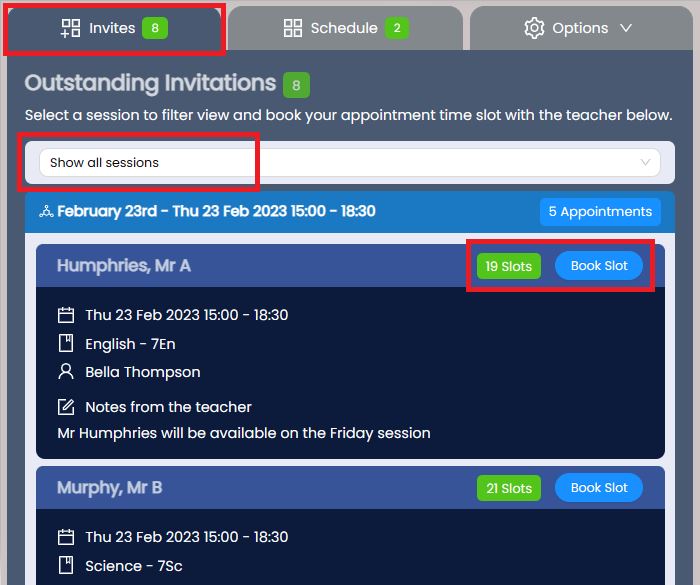
Ensure you are viewing the correct Event (see change event). Choose the Invites tab to view your outstanding invitations. You will see a list of available Teachers and their slots. If your event spans multiple days, you can filter these sessions. Select your Teacher and click Book Slot.
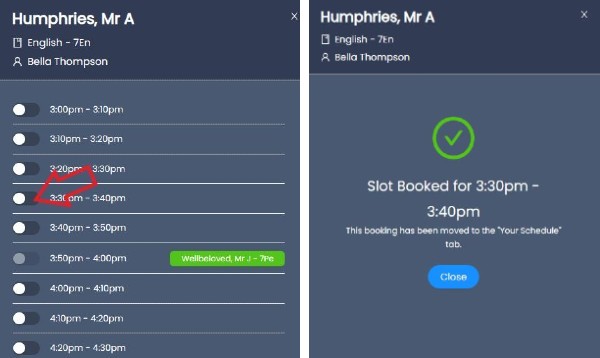
Available slots will appear along with your existing bookings. Select the time slot to confirm. Your booking will now appear in your Bookings schedule.
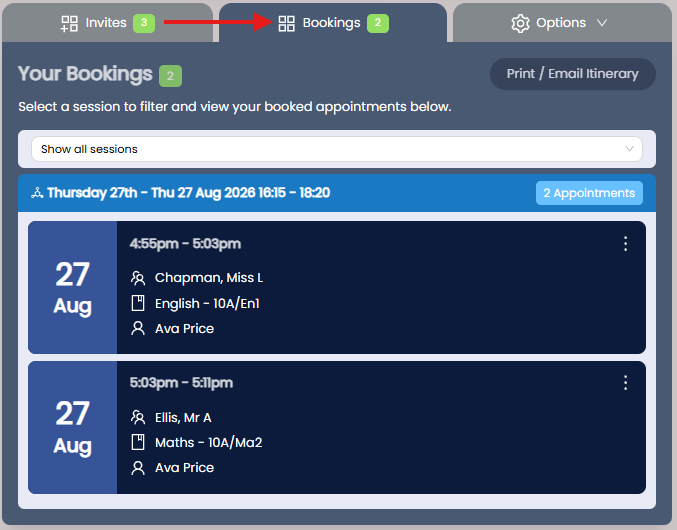
Continue booking your other appointments from the Invites tab.
Canceling a Booking
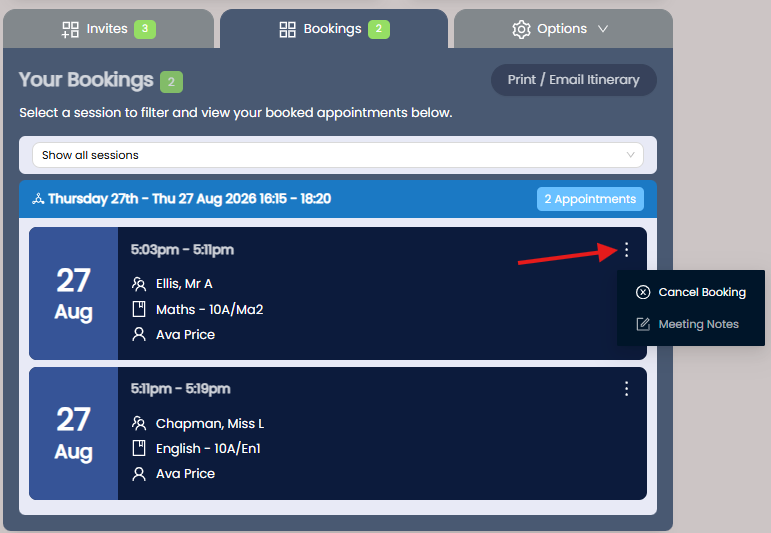
Go to your Schedule and select the 3 dots next to the appointment. Select Cancel Booking. Canceled bookings return to Invites, allowing you to rebook for another time.