SIMS.net duplicated records
In SchoolBooking - Download the MIS Guardian report that details the duplicates.
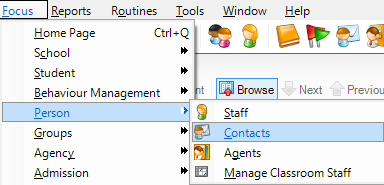
Open SIMS and go to Focus > Person > Contacts.
Using the Search function find the parent's record(s).

There should only be only one record per parent. If there is more than one record you need to make sure that at least one of the records has all the relevant children showing under Associated Students.

Once you have edited as required to ensure that one record is linked to all children, click Save at the top left.
You can now delete other, duplicate records for that parent.
Housekeeping
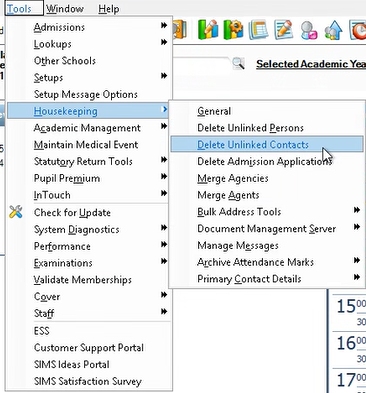
When ready (after resolving all duplicates) you can then Delete all unlinked contacts. This will then prevent them being selected again by mistake.
In SIMS go to Tools > Housekeeping > Delete Unlinked Contacts