Start a New Sync with Your MIS
Using the Xporter platform for integration, we automatically receive changes to school data at regular intervals (typically overnight daily).
However, if you have recently made lesson changes, updates to cover/closures, or parent contact information, you may want to start a new sync immediately.
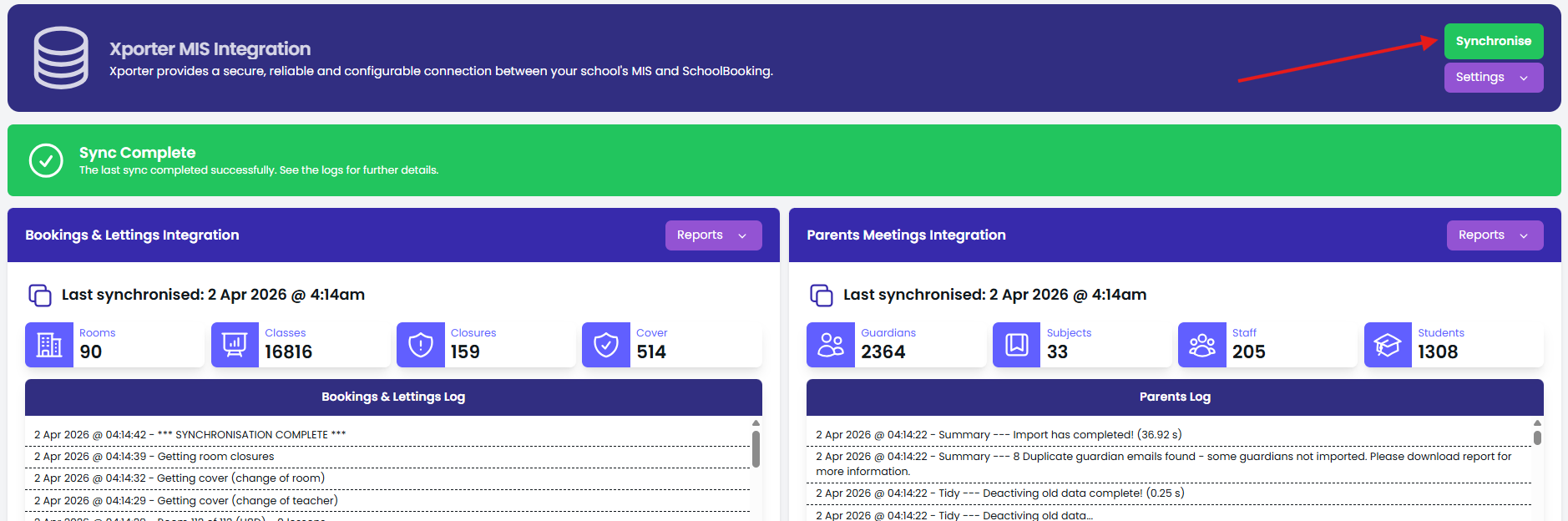
How to Start a Manual Sync
- Login to SchoolBooking
- Navigate to Administration → Academic → MIS Integration
- Select Synchronise
Sync Options
- Collect new data — retrieves recent changes from your MIS
- Reprocess existing data — use only if you've added new rooms and need the timetable reimported