Add Parent Bookings as a Teacher
Note: This feature can be disabled by the event administrator.
Creating a Booking
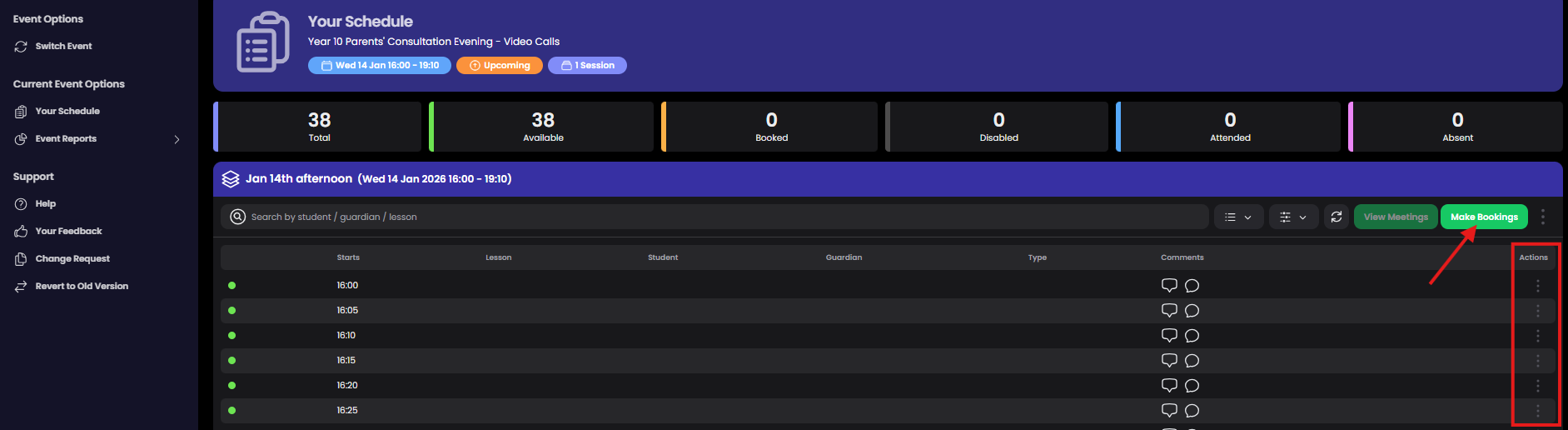
Open the Make Bookings modal by selecting 'Make Bookings' button or using the Actions to 'Book Slot'.
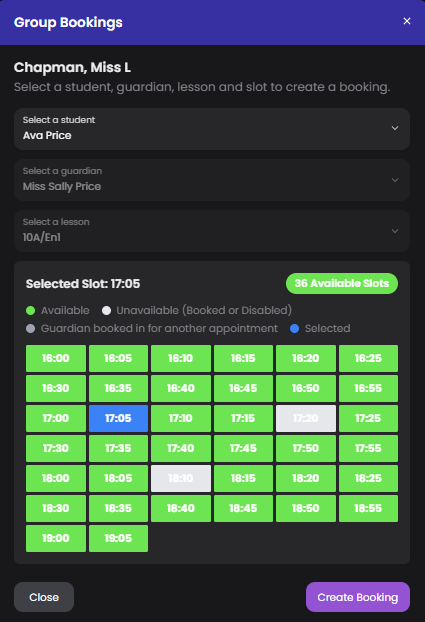
Choose a student, guardian, and lesson (as required), then select an available green timeslot. Select 'Create Booking' to confirm. Repeat the process as needed and close the modal when finished.
Managing Bookings
To cancel a booking or add a comment, use Actions.

Printing Itineraries
To print a parent itinerary, go to 'Event Reports' (note: Reports access can be restricted by your event admin).