Adjust Booking Slot Availability
Teachers
Note: This feature can be disabled by the event administrator.
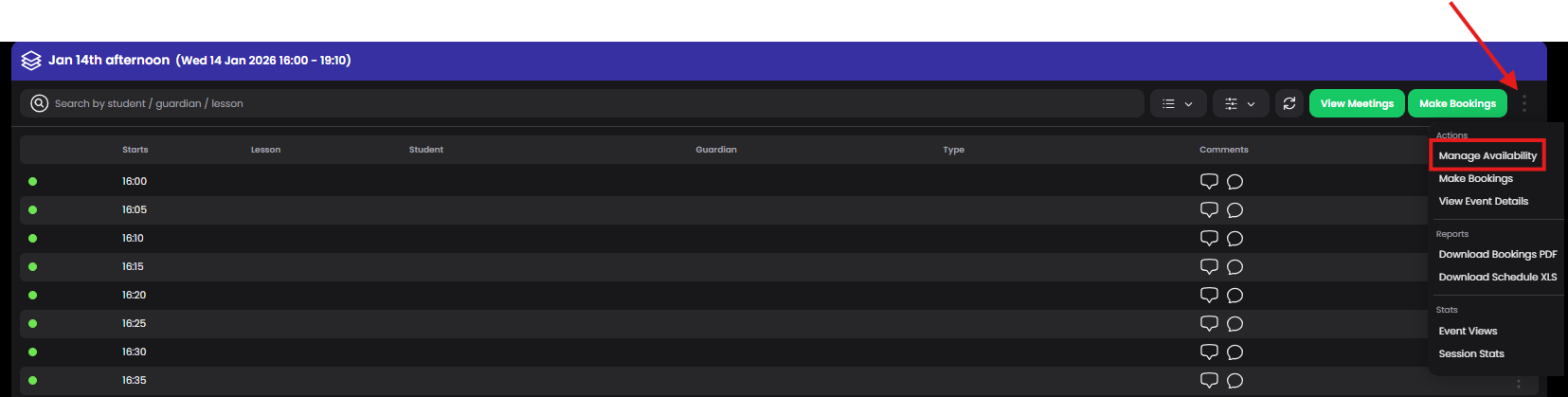
To adjust your availability:
- Choose Actions → Manage Availability
- Click on timeslots to disable
- Save
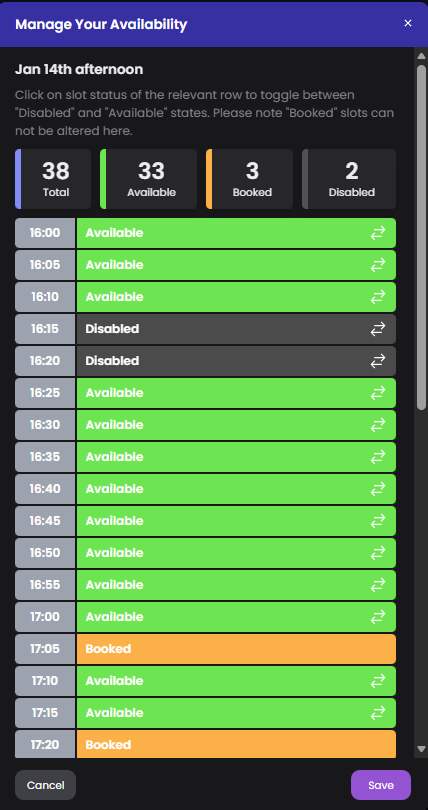
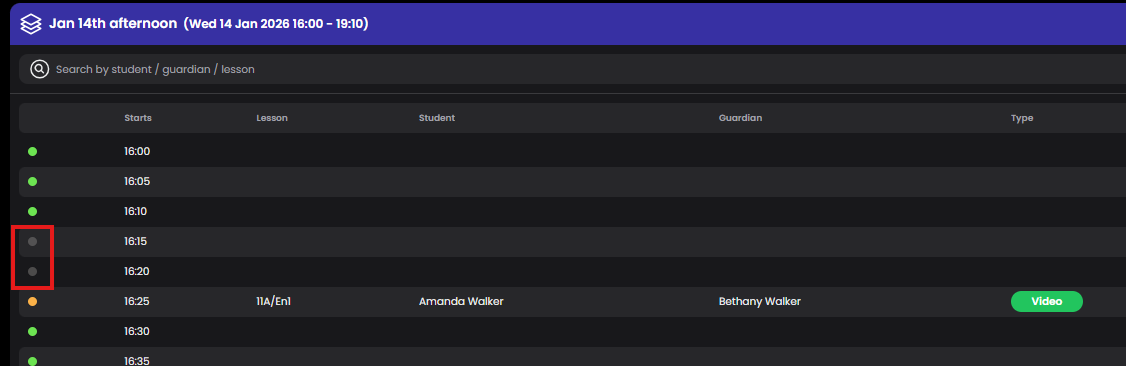
Disabled timeslots are indicated on your schedule:
Event Administrator
Go to Manage Event → Overview and switch the view to Availability.
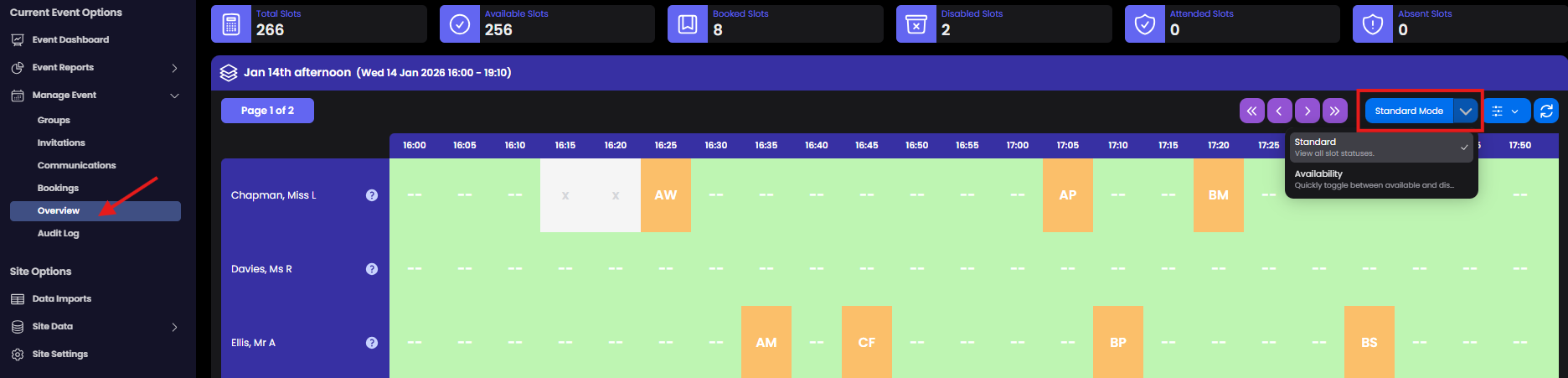
Click on any timeslot for any teacher to adjust their availability and save your changes. To prevent teachers from updating their own availability, go to Site Settings.
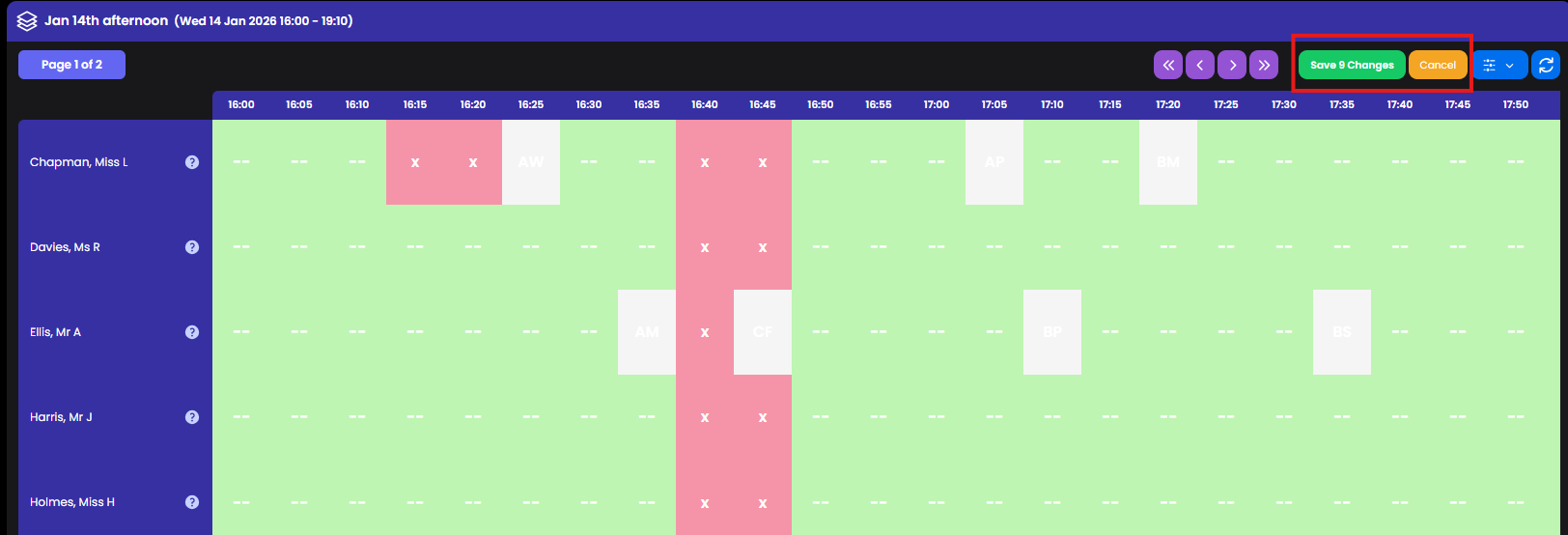
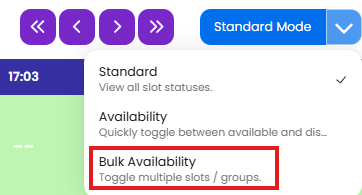
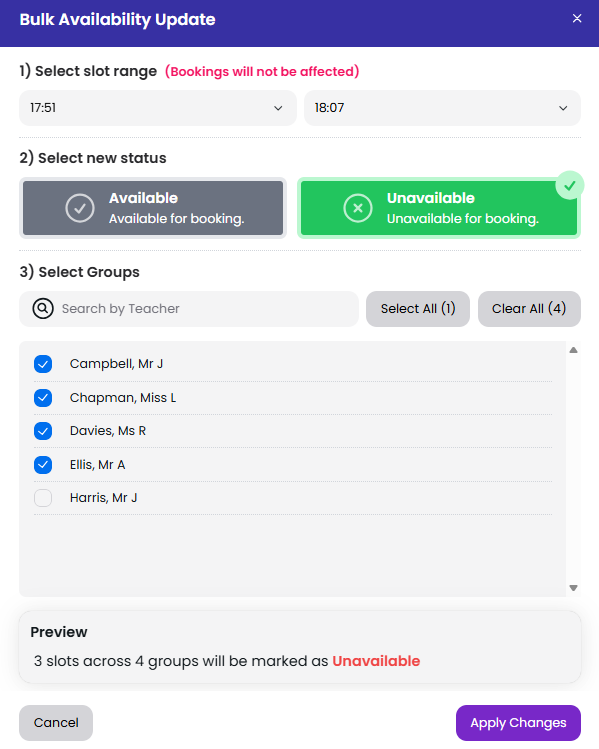
If you are looking to apply a timeslot break for all staff on the event you can also use the Bulk Availability option