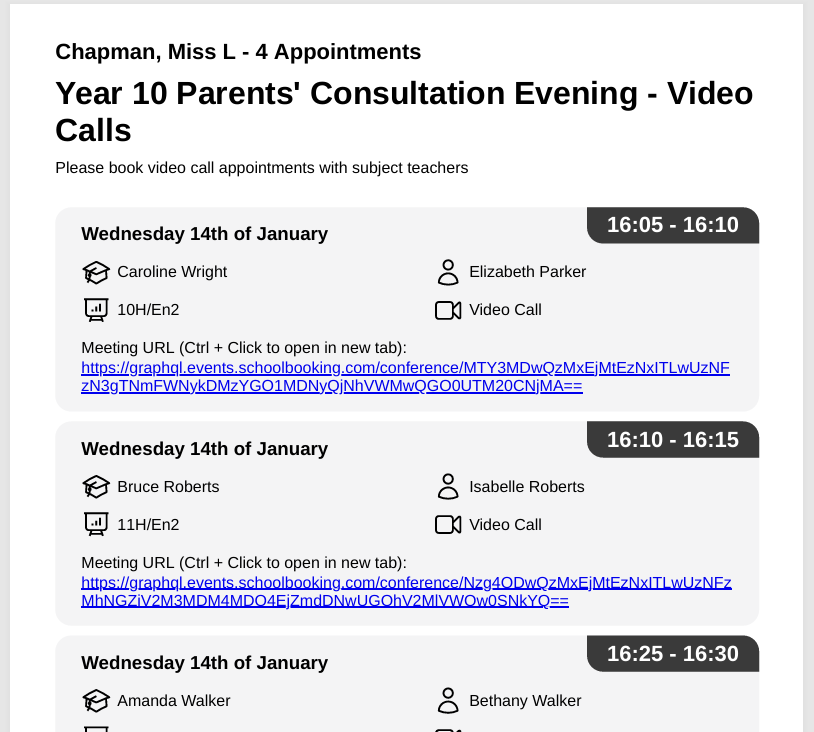
How to access teacher and parent itineraries
Download Itineraries as organiser
If you are an event organiser or admin you can access printable pdf reports that include the teacher or parent itineraries. These are available from the event reports menu. You can choose to download individually or in bulk.

Download & share Itinerary as a teacher
When teachers login they will see their full schedule of appointments for the next upcoming meeting. If required they can share all or part of their schedule with another teacher.
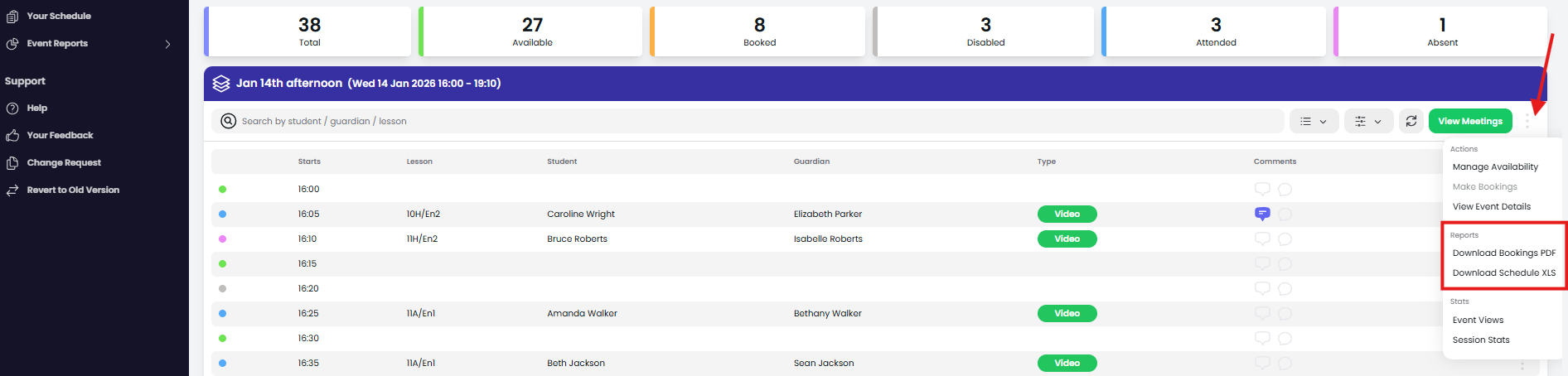
When you choose to download your bookings you will get a option to choose which appointments to include in the report.
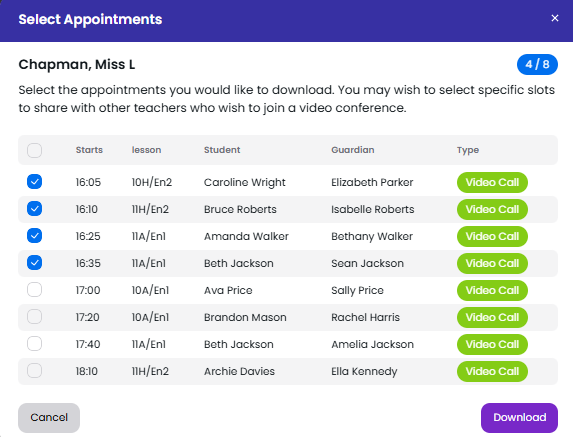
If the meetings are video calls, the report includes the meeting URL that the other teacher can use. This will allow both teachers to join the video call meeting with the parent/guardian if needed (the main teacher will use their login to join, the other teacher the meeting URL in the report)