How to impersonate a Teacher or Parent login
*** Note : This feature is only available to site administrators and Events Managers ***
You may need to test the login for a Teacher or a Parent (but don't have there login credentials). This is useful feature if you are testing Parent Meetings and want to quickly see what a Teacher login may look like, or perhaps you have a Parent which has is having difficulty navigating there login area.
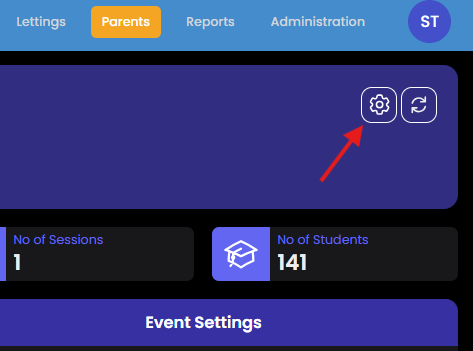
First you need to select the Event are working on (Switch Event). From here select the 'Settings' cog and choose 'Impersonate User'.
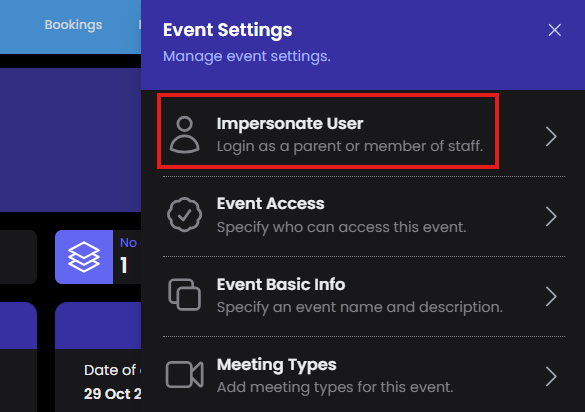
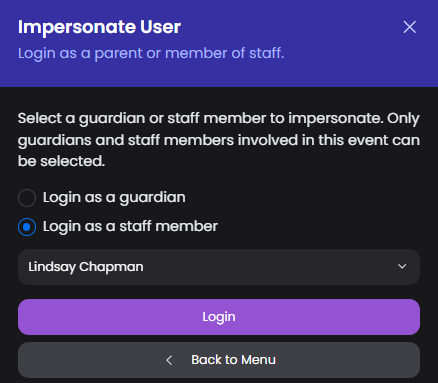
You will now be able to select a login as a Parent or a Teacher.
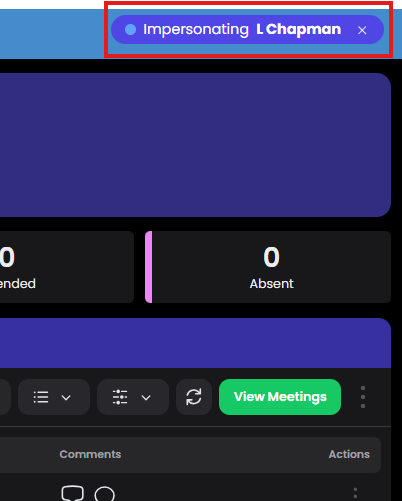
The notification bar indicates who you are logged in as, and allows you to switch back to you own login when finished.
Notes
- Parents actual login experience opens in a new browser tab. The impersonation assumes they are already logged in. They will login at https://parents.events.schoolbooking.com/