Schedule Event Access for Staff and Parents
Create Your Schedule
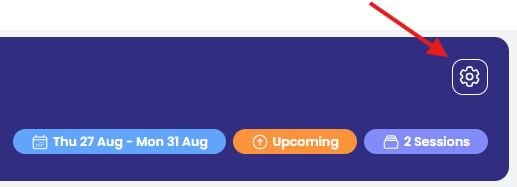
Open events to staff and parents on a specific day and time. Go to the Settings cog in your event and select Event Access.
Important: Ensure the event is open before you send email invitations or parents/guardians will not have access. Email invitations cannot be scheduled.
Choose the date and enter your time (24hr format). You can edit or delete schedule dates as required.
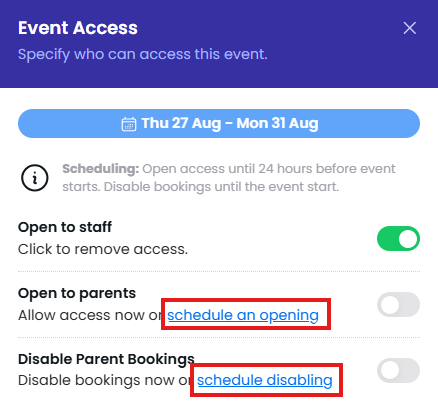
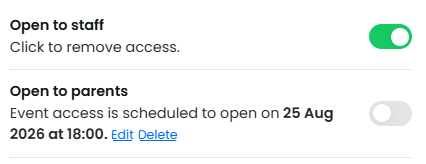
When you save your schedule, the system checks for students without an associated parent and any missing staff accounts. Review these before confirming.
What Parents See in Their Login
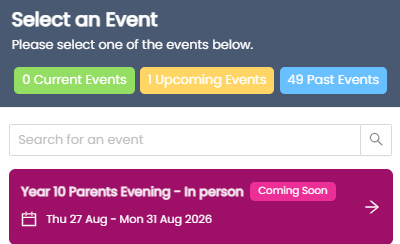
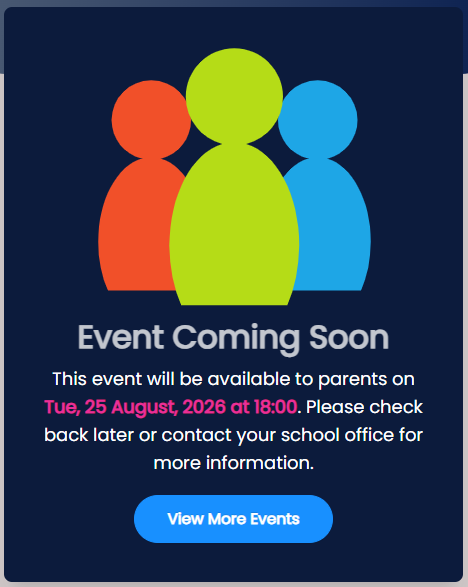
Parents see scheduled events with a 'coming soon' status. When they select the event, they're advised when it will open.