How to open your event to staff and parents
After you have created you event and added some lessons, only you as the event administrator can access it.
When you are ready you can manually open event access to staff and parents (you can also schedule when this happens - See this article) It is important to make sure the event is open before you send the email invitations or you parents/guardians will not have access.
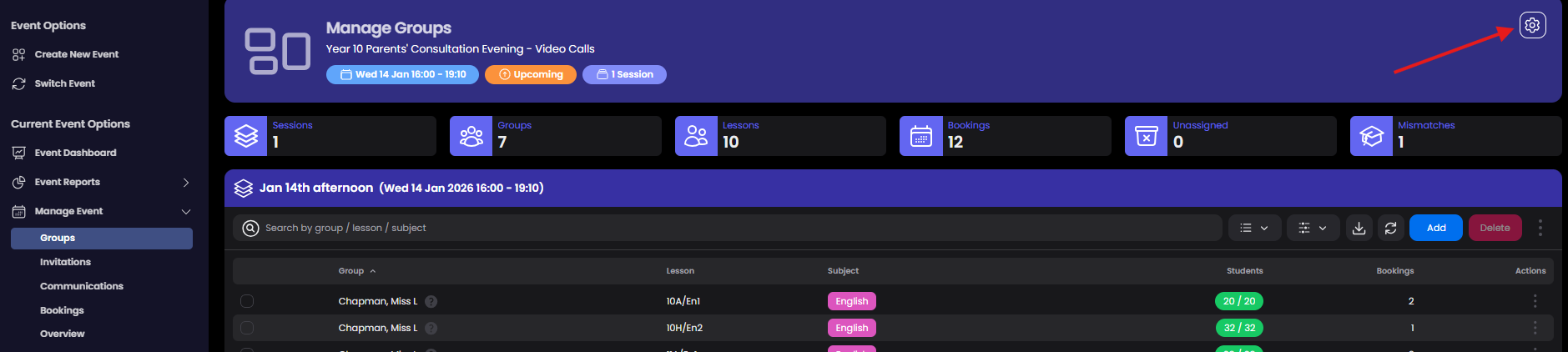
To do this open the Event Settings and choose Event Access from the available options.
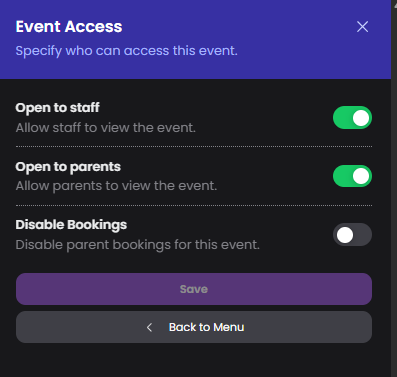
From here you can also disable bookings. You would probably do this on the day of the event to prevent last minute bookings.
IMPORTANT - If you toggle 'Open to Parents' to off, your parents will not be able to view the event in their login.